Dripwriter Origin vs TrickleType: Two Free Auto Typers
 By Aarohan Niraula6 min read
Dripwriter Origin vs TrickleType: a free open-source typer for any text box, or a Google Docs typer with a finish time and cloud typing. Facts dated.
Dripwriter Origin is a free, open-source extension that types pasted text into almost any text box at a speed you set, from 20 to 150 words a minute. TrickleType types into Google Docs and takes a finish time instead. When I asked TrickleType 1.4.5 for 10 minutes on a 321-word draft, the last key landed at 10 minutes 0.1 seconds.
We make TrickleType, so weigh our view accordingly. Facts about Dripwriter Origin come from its own website and GitHub README, checked 2026-11-18. I have not run Dripwriter Origin, and nothing here measures it. Its site says it is an independent project by Alexey Fedorov and is not affiliated with Dripwriter, LLC, the company behind DripWriter.
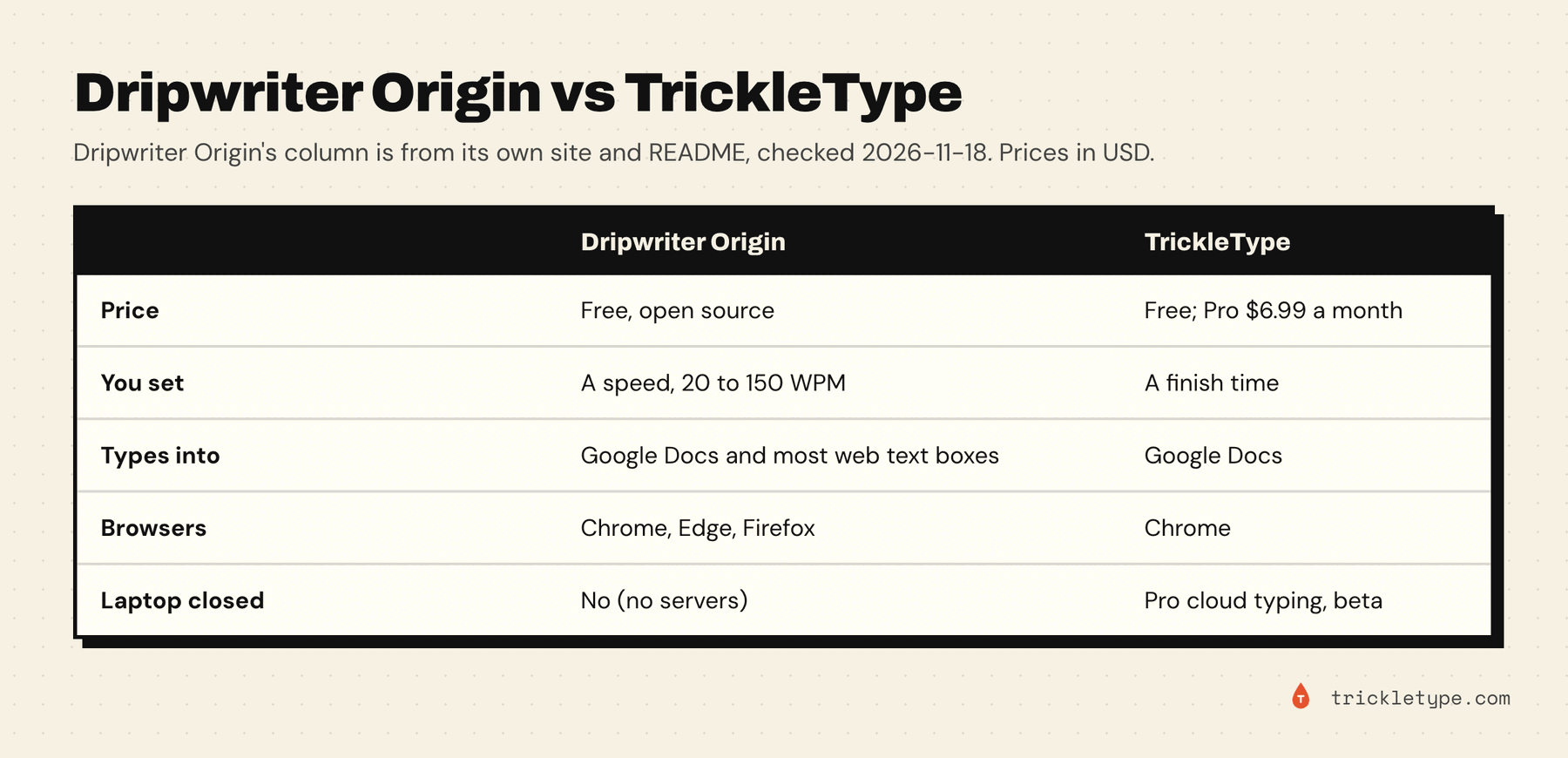
Dripwriter Origin vs TrickleType at a glance
Checked 2026-11-18, in USD:
| Dripwriter Origin | TrickleType | |
|---|---|---|
| Price | Free, open source | Free; Pro $6.99 a month or $39.99 a year, or a pay-once Lifetime plan |
| Free words a day | No limit published | 1,000 |
| How you set the pace | Speed, 20–150 WPM | Finish time, from minutes to 10 days (Pro) |
| Typos that get corrected | Yes, free | A few are free; more with Pro |
| Keeps typing with the laptop closed | No (no servers) | Pro cloud typing, beta |
| Where it types | Google Docs and almost any text box | Google Docs |
| Browsers | Chrome, Edge, Firefox | Chrome |
| Upload a .docx file | Not listed | Yes (text only) |
| Account needed | No | No for typing in a tab |
What is Dripwriter Origin?
Per its README, Dripwriter Origin is a browser extension that types pasted text into a web page for you. It lists an adjustable speed from 20 to 150 WPM, typos on neighbouring keys that get corrected, "occasional false-start words" that it types and deletes, and short breaks at sentence boundaries.
Its site says "No accounts, no telemetry, no servers". The licence allows noncommercial use for free; commercial use needs a separate licence. Its Chrome Web Store listing showed version 3.2.0, updated 25 September 2026 (checked 2026-11-18).
Is there a DripWriter Chrome extension?
The DripWriter extension you find on the Chrome Web Store is Dripwriter Origin, a separate project: its site says it is "not affiliated with, endorsed by, or connected to Dripwriter, LLC or the commercial service at dripwriter.com".
DripWriter itself is a web app: you sign in at dripwriter.com, paste a draft into its editor, and it writes the draft into a Google Doc. Dripwriter Origin runs inside your own browser. So does TrickleType, with no Google sign-in unless you use cloud typing. The DripWriter vs TrickleType page covers DripWriter's plans and prices.
How to install and use Dripwriter Origin
Its site gives four steps to install:
- Open its listing on the Chrome Web Store, Edge Add-ons or Mozilla Add-ons.
- Add it to your browser and confirm the prompt.
- Pin it to the toolbar.
- Open a page with a text box, paste your text into the popup, set the sliders and press Start.
Per the README, you click where the typing should begin before you open the popup, and you can reopen it and press Stop at any time.
TrickleType starts in a similar way: open your Google Doc and the side panel, paste the draft or upload a .docx file, pick when it should finish and press start.
How long does a run take?
Dripwriter Origin sets the pace by speed. At 20 WPM, its slowest, 1,000 words take about 50 minutes of typing; at 150 WPM, its fastest, about 7. Breaks and corrected typos add to that. Its pages don't list a finish-time setting (checked 2026-11-18), so to end at a set time you choose the speed that gets you there.
TrickleType works the other way round. You pick the finish, from a few minutes to 3 hours on Free or up to 10 days on Pro, and it spreads the words across that time. I timed that on 22 November 2026 with version 1.4.5, one 321-word draft and a stand-in page in place of a real Doc:
| Asked for | Typos | Last key landed at | Typos made and fixed | Longest pause |
|---|---|---|---|---|
| 10 minutes | A few | 10 min 0.1 s | 35 | 12.5 s |
| 5 minutes | None | 5 min 0.1 s | 0 | 3.8 s |
| 1 minute | A few | 1 min 25 s | 48 | 0.3 s |
In all three, the text that landed matched the draft character for character. The pace was not even. In the 10-minute run each minute brought between 131 and 221 characters, with 21 pauses of two seconds or more.
What trips people up with a finish time
- A finish time that is too short is not met. I asked for 1 minute for the same draft and the run took 1 minute 25 seconds, at about 23 keys a second. The finished screen still said "Took 1m". The 5 and 10 minutes were kept.
- Long pauses are part of a run. The longest silence in the 10-minute run was 12.5 seconds. The panel keeps showing the time left and the finish time.
- Typos add keys, not time. The 35 corrected typos cost 134 extra keys, and the run still ended on the minute.
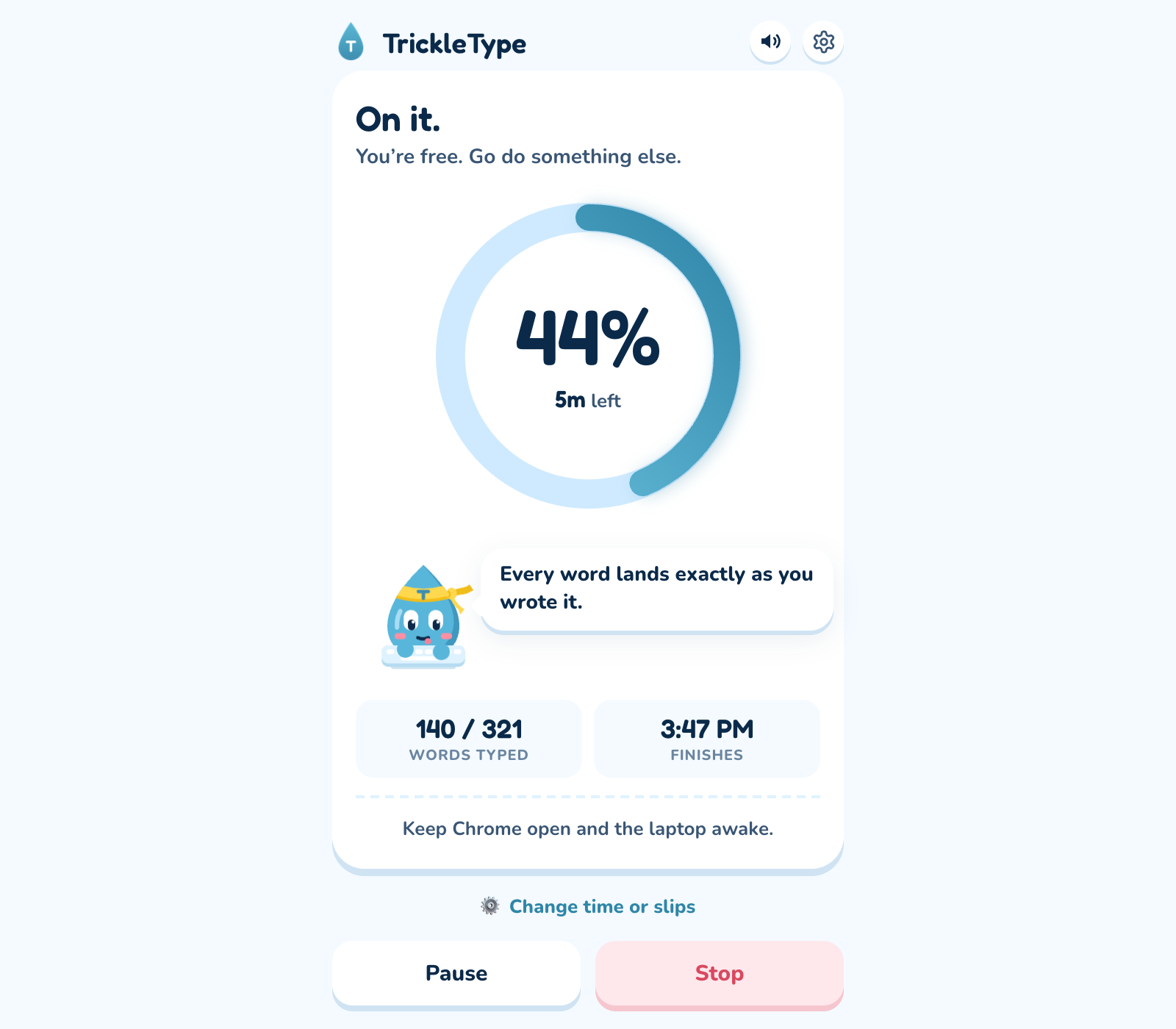
- A run in a tab needs the computer awake. The panel says "Keep Chrome open and the laptop awake." Dripwriter Origin's site says it has no servers, so the same holds there.
Does Dripwriter Origin work in Microsoft Word?
Partly. Its FAQ says it works in "any web-based text box", so Word on the web works, and that "Native desktop Word does not, because it isn't a web page".
TrickleType types only into Google Docs. You can upload a .docx and it types the text into a Doc, without the formatting.
Is Dripwriter Origin free?
Yes. Dripwriter Origin has no paid plan, and its site describes it as "Free & open source". Its pages don't publish a daily word limit.
Where Dripwriter Origin is better
- Everything is free. Typos, false starts and long runs cost nothing. On TrickleType, the heavier typo setting and runs over 3 hours need Pro.
- Any text box, any of three browsers. It works beyond Google Docs, in Chrome, Edge and Firefox. TrickleType is Google Docs in Chrome.
- Open source. You can read the code.
- Scriptable. Its FAQ says that with API mode enabled it exposes an API on the page, so an AI agent such as Claude "can drive the typing engine". TrickleType has no API.
If those matter most, Dripwriter Origin is the better pick.
Where TrickleType is better
- A finish time, not a speed. In my runs it ended within a second of the 5 and 10 minutes I asked for. With a speed setting you work that out yourself.
- Typing with the laptop closed. TrickleType Pro's cloud typing (beta) keeps going on our servers with the laptop shut, up to 3 runs at once.
- Long runs. Pro runs last up to 10 days in a tab, or 7 days in the cloud.
- Narrow access. The extension only runs on docs.google.com, in the Doc you start it in.
See Pro plans for what Pro adds, or the home page for the free plan. More options: DripWriter alternatives and Write It vs TrickleType.
How I checked this
Dripwriter Origin's facts are quotes and settings from dripwriter.org and its GitHub README, read on 18 November 2026. I did not install or run it. The timings are from 22 November 2026: I downloaded TrickleType 1.4.5 from the Chrome Web Store (listed as updated 19 November) and ran it in headless Chrome 153 on a fresh install with the free plan, once per setting. Each key was timestamped by the page receiving it. That page was a local stand-in for a Google Doc, because an unattended browser can't sign in to Google, so the numbers show the extension's timing, not Google Docs' behaviour.
Frequently asked questions
Is Dripwriter Origin the same as DripWriter?
No. Its site says Dripwriter Origin is an independent, open-source project by Alexey Fedorov, not affiliated with Dripwriter, LLC or dripwriter.com (checked 2026-11-18).
Does Dripwriter Origin keep typing with the laptop closed?
No. Its site says it has no servers, so typing runs in your open browser. TrickleType, which we make, does keep going with the laptop closed on Pro cloud typing (beta), and every new install gets one free cloud run of up to 1,000 words.
DripWriter is a trademark of its owner. Dripwriter Origin is its owner's product. TrickleType is not affiliated with, endorsed by or connected to Dripwriter, LLC or Dripwriter Origin.
Use TrickleType only where you're allowed to. It types your text; it does not make anyone's work yours.