Write It vs TrickleType: Free Limits, Prices, Cloud Typing
 By Aarohan Niraula6 min read
Write It vs TrickleType compared: free words a day, cloud typing, Slides and Word support, and monthly prices ($10 vs $6.99), with dated sources.
Write It vs TrickleType comes down to scope. Write It is a writing toolkit with an auto typer inside it, from $10 a month. TrickleType only types, for $6.99, and its free plan gives 1,000 words a day. I ran that free plan on 23 November 2026: a 1,000-word draft, 30 minutes asked for, last key at 30 minutes 18 seconds.
We make TrickleType, so weigh our view accordingly. Everything about Write It comes from its own public pricing page, FAQ, Dripwriter comparison page and Chrome Web Store listing, checked 2026-11-23. I have not run Write It, and nothing here measures it. My TrickleType runs typed into a stand-in page, not a real Google Doc; the last section explains.
Write It vs TrickleType at a glance
Write It vs TrickleType, free compared with free and monthly with monthly, in USD, checked 2026-11-23:
| TrickleType | Write It | |
|---|---|---|
| Paid monthly plan | $6.99 (Pro) | $10 (Plus), $15 (Premium) |
| Pay-once plan | Lifetime | None |
| Free typing in a tab | 1,000 words a day, runs up to 3 hours, no account | Free in-browser auto typer with a Write It account |
| Free typing with the laptop closed | One free cloud run for a new install (up to 1,000 words) | 350 words a day, runs up to 5 hours |
| Paid run length | Up to 10 days in a tab, 7 days in the cloud | Up to a week |
| Where it types | Google Docs | Google Docs, Slides, Word online |
What each one is
Write It is a Chrome extension plus a web dashboard. Its comparison page describes two typers. The Auto Typer "types in your open tab while you watch, in Google Docs, Slides, and Word Online". Cloud Typer "runs from the Write It dashboard on our servers". The same account covers an AI assistant, research tools and grammar checks.
TrickleType is a Chrome extension with one panel. You paste a draft or upload a .docx, pick a finish time, and it types into the Google Doc you have open.
Write It vs TrickleType on price
Write It's pricing page lists "Plus at $10/mo and Premium at $15/mo". It also offers a longer billing cycle at a lower rate, marked "Save 33%": Premium is billed $20 for 2 months.
TrickleType Pro is $6.99 a month or $39.99 a year ($3.33 a month), or a pay-once Lifetime plan. Every Pro plan gets the same features: no word limit when typing in a tab, runs up to 10 days, the heavier typo setting, and cloud typing in beta (up to 3 runs at once, 100,000 words a month). Details are on Pro plans.
Free plans: 1,000 words a day, measured
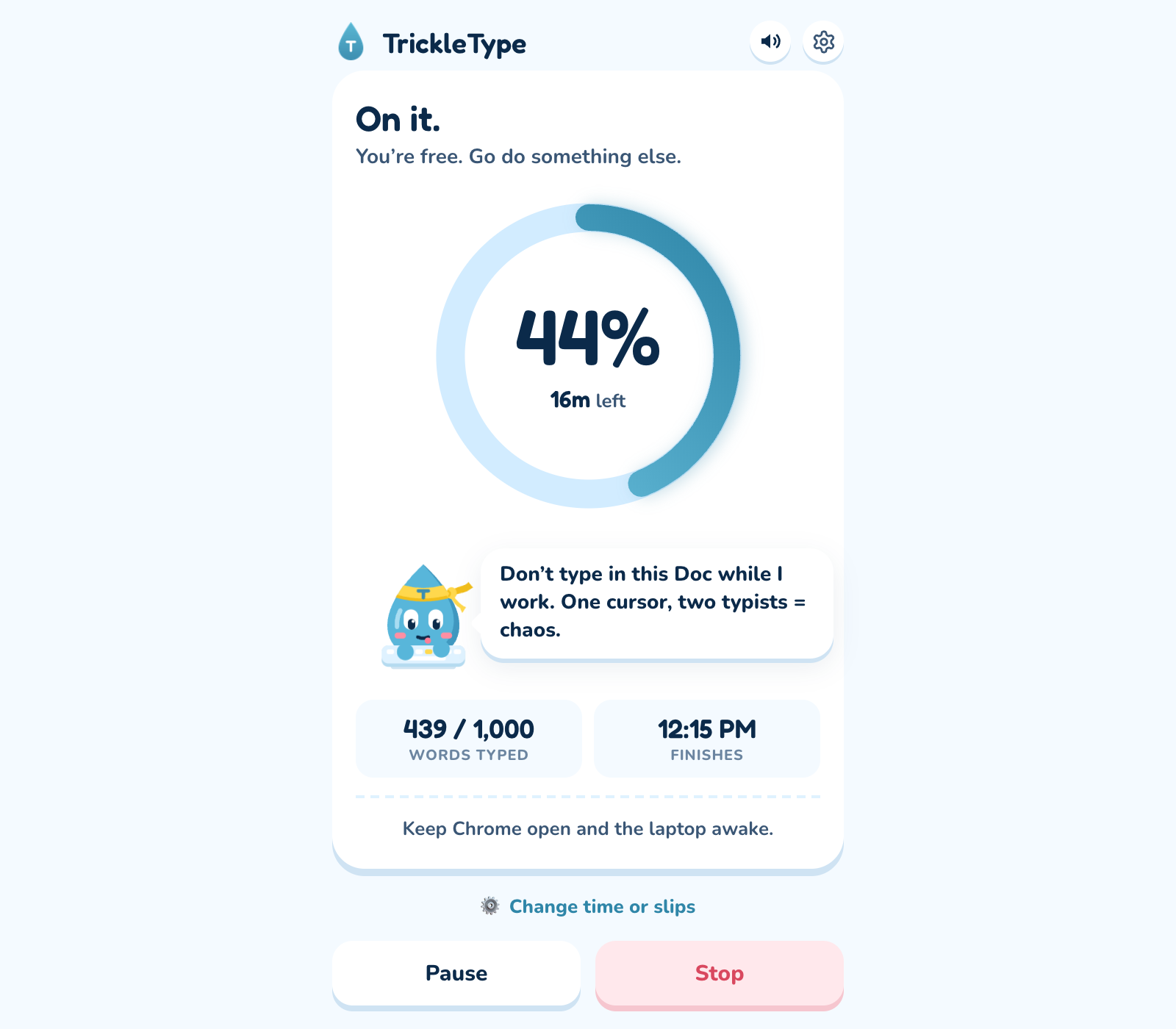
TrickleType Free types up to 1,000 words a day in your own Chrome tab, in runs of up to 3 hours, with no Google sign-in. I checked that on a fresh install of TrickleType 1.4.5 with no licence key and no account, one 1,000-word draft per run:
| Asked for | Typos | Last key landed | Typos fixed | Longest pause | Text matched the draft |
|---|---|---|---|---|---|
| 30 minutes | A few | 30 min 18 s | 130 | 8.9 s | Yes |
| 60 minutes | None | 60 min 17 s | 0 | 29.0 s | Yes |
In both runs the first key came about 19 seconds after the start, and the typing then spanned the time asked for to within 2 seconds. The finished screens read "Took 30m" and "Took 1h 00m".
Write It's comparison page says its in-browser Auto Typer is "free with a Write It account", and that Cloud Typer "includes 350 words a day typed across up to 5 hours". We couldn't find a published daily limit for the in-browser typer, so we haven't compared one.
What trips people up on TrickleType's free plan
- One run can use the whole day. After the 1,000-word run, the panel read "Free · 0 left" when I tried another draft. The count comes back at midnight.
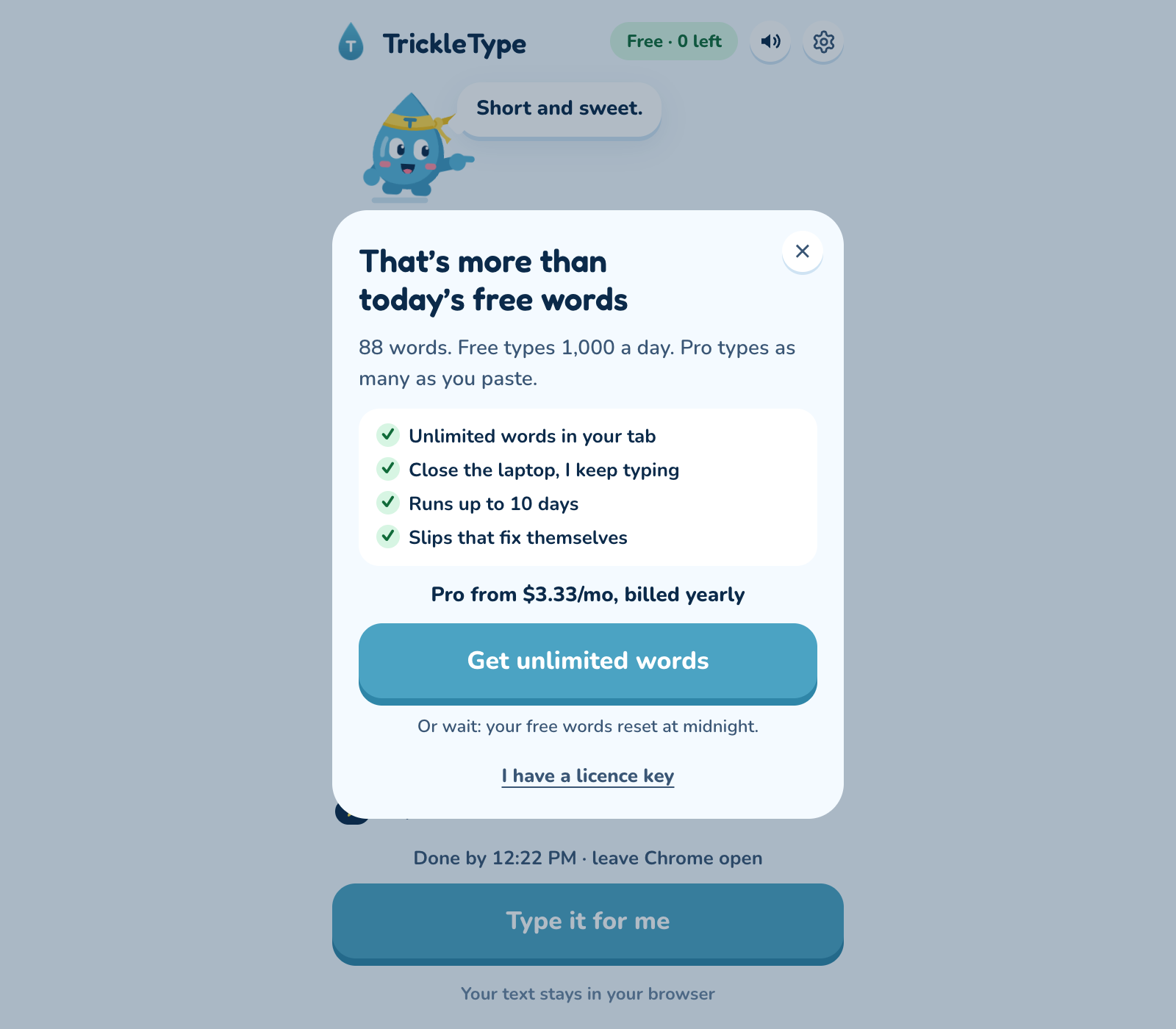
- A new install gets one bigger run first. The next draft I gave it was 88 words. The panel said "Heads up: this one's on us" and "Your first one is free, all of it", and the run went through.
- After that, a draft over the day's words waits. A third draft, again 88 words, got the screen below, and no keys were sent. With part of the day's words left, the same screen offers to type the first part now.
- The finish time is close, not exact. Both runs ended 17 to 18 seconds past the time asked for.
- Pauses are part of a run. The longest silence was 8.9 seconds in the 30-minute run and 29 seconds in the 60-minute run.
Does Write It keep typing with the tab closed?
Yes, through Cloud Typer. Write It's comparison page says Cloud Typer is "currently in beta" and "runs entirely in the cloud". It runs from the dashboard in any browser, so it needs no extension: you connect the Google Doc and the typing happens on Write It's servers.
TrickleType's cloud typing, also in beta, is part of Pro: you connect Google for one Doc and our server types into it with the laptop shut, for up to 7 days. A new install gets one free cloud run of up to 1,000 words.
Does Write It have a free trial, and can you cancel?
Write It's FAQ says "Every new account gets a personal code in its welcome email for a free Premium trial", that "you can cancel your subscription at any time", and that access continues "until the end of your current billing period".
TrickleType has no timed trial. The free plan stays free, and Pro can be refunded within 7 days, as listed on Pro plans.
Where Write It is better
- Slides and Word online. TrickleType only types into Google Docs.
- Free daily cloud typing. 350 words a day with the tab closed. TrickleType gives a new install one free cloud run and then needs Pro.
- Placement pins. Write It can type separate pieces into chosen spots in a Doc, table cells included. TrickleType types one passage per run.
- Typing hours. Cloud Typer can keep to hours you choose, pausing overnight.
- Any browser for cloud runs. TrickleType needs Chrome.
- A bigger toolkit and user base. AI writing tools in the same extension, and 20,000 Chrome Web Store users against about 1,000.
Where TrickleType is better
- Price. $6.99 a month against $10 for the cheapest paid Write It plan, plus a pay-once Lifetime plan.
- A published free limit in a tab. 1,000 words a day, with runs up to 3 hours.
- A finish time. TrickleType works out the pace from it.
- Narrow access. The extension only runs on docs.google.com, and typing in a tab needs no account.
Which one to pick
Write It vs TrickleType is mostly a question of what you need besides typing. Pick Write It for Slides or Word online, a daily cloud allowance at no cost, or its AI tools. Pick TrickleType for a finished draft typed into one Google Doc at the lower price, with no account. For a wider list, see DripWriter alternatives compared, or Dripwriter Origin vs TrickleType for a free, open-source option.
How I checked this
Write It's facts are quotes from the write-it.us pages linked above and its Chrome Web Store listing, read on 23 November 2026. I did not install or run it. The TrickleType numbers are from the same day: I downloaded version 1.4.5 from the Chrome Web Store and ran it in headless Chrome 153, a fresh install per run, with no licence key and no account. Each run was started with the message the panel's start button sends, and the receiving page timestamped each key. That page was a local stand-in for a Google Doc, because an unattended browser can't sign in to Google. So the numbers show the extension's limits and timing, not Google Docs' behaviour. The two runs ran at the same time in separate browsers, one run per setting, not an average.
Frequently asked questions
Is Write It free?
Write It has a free plan. Its comparison page says the in-browser Auto Typer is free with a Write It account, and Cloud Typer includes 350 words a day across up to 5 hours. Paid plans are $10 (Plus) and $15 (Premium) a month (checked 2026-11-23).
Does TrickleType work in Google Slides or Word?
No. TrickleType types into Google Docs only. Write It covers Docs, Slides and Word online.
Write It is a trademark of its owner. TrickleType is not affiliated with, endorsed by or connected to Write It.
Use TrickleType only where you're allowed to. It types your text; it does not make anyone's work yours.