How to Cancel a DripWriter Subscription: Steps and Refunds
 By Aarohan Niraula7 min read
To cancel a DripWriter subscription, open your account page, click Manage Plan, then Cancel. What happens next, the refund terms, and a lower-cost alternative.
To cancel a DripWriter subscription, open your account page on dripwriter.com, click Manage Plan, then choose Cancel. This page is about DripWriter, the web app at dripwriter.com that types a draft into Google Docs, not Drip, the email marketing platform (Drip's own help center covers that one). DripWriter's FAQ says you won't be charged again, and Pro stays active until the end of the billing period you already paid for. You can also email team@dripwriter.com and ask them to cancel it for you.
We make TrickleType, another auto typer for Google Docs, so weigh the last part of this page accordingly. Everything about DripWriter here comes from its own public FAQ, pricing page and terms, checked 2026-11-21. We can't see inside your account, so if a button has moved, DripWriter's FAQ is the final word.
How to cancel a DripWriter subscription, step by step
DripWriter's pricing page says plans are self-serve: "You can upgrade, downgrade, or cancel anytime from your account." Its FAQ gives the path:
- Sign in at dripwriter.com and open your Account page.
- Click Manage Plan.
- Select Cancel and confirm.
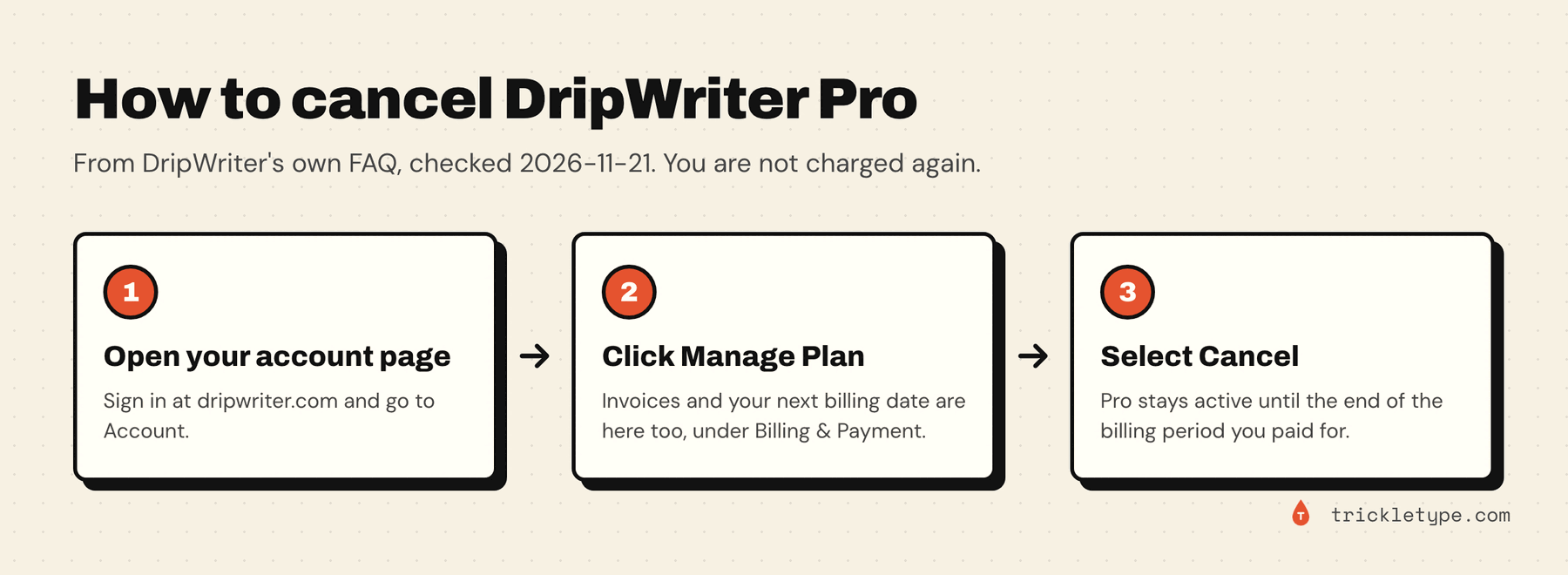
That's the whole process. In the FAQ's words: "Once cancelled, you will not be charged again and your Pro access will remain active until the end of your current billing period."
Two other things from the same FAQ are worth knowing:
- By email. "You can also email us at team@dripwriter.com and we will cancel it for you immediately." Write from the address on your account, and keep the reply.
- Your billing date. Invoices, payment history and the upcoming billing date are under Manage Plan > Billing & Payment. Look there first if you aren't sure when the plan renews.
The steps are the same on the monthly plan ($15 a month) and the annual plan ($108 a year). Both are the same Pro subscription, billed differently.
What happens after you cancel
You keep Pro until the period ends. A monthly plan runs to the end of the month you paid for. An annual plan runs to the end of the year you paid for.
A past-due subscription ends at once. The FAQ says: "If a payment has already failed and the subscription is past due, canceling ends it immediately so Stripe stops retrying the card."
You can undo it. While the paid period is still running, go back to Manage Plan and pick the option to keep your subscription. After the period ends, you'd start again from DripWriter's upgrade page.
Your account stays. Cancelling stops the billing; it doesn't remove the account. DripWriter also has a free plan (250 words a day, in runs of up to 60 minutes, per its pricing page). The FAQ doesn't spell out what a cancelled account looks like after the paid period, so ask DripWriter if that matters to you.
Deleting the account is a separate request. The FAQ: "To delete your account, email us at team@dripwriter.com with the email address associated with your account and we will remove it right away."
How to check that the cancellation went through
DripWriter's FAQ says your "upcoming billing date" is listed on the account page under Manage Plan > Billing & Payment, next to your invoices and payment history. Open it after you cancel and read what it says about the next charge. We can't see that screen, so we won't describe it for you.
If anything there is unclear, email team@dripwriter.com from the address on your account and ask for the cancellation in writing. Keep the reply. It's also the route to take when you can't sign in at all: the FAQ says the team will cancel a plan by email.
One mix-up to avoid: switching between monthly and annual billing is not cancelling. The FAQ puts it plainly: "Switching only changes Pro billing (monthly vs annual). Canceling is Manage Plan → Cancel".
If the real problem is the card and not the plan, you don't have to cancel. The same Billing & Payment screen is where the FAQ says Pro users update the card or the billing email.
How to remove DripWriter from your Google Account
DripWriter works through a Google sign-in. Cancelling is about billing, and the FAQ treats the Google connection as a separate step. If you're done with DripWriter for good, you can remove that connection yourself. DripWriter's FAQ says you can do this "at any time directly through your Google account without needing to contact us", and gives the path:
- Go to your Google Account at myaccount.google.com.
- Click Security.
- Scroll to Third-party apps & services and find Dripwriter in the list.
- Click it and select Remove Access.
Google moves these menus now and then. Its help page on managing connections with third parties shows where the list is today. This step is optional, and it's the same housekeeping you'd do for any app you've stopped using. Do it after any run you still care about has finished: the FAQ says DripWriter needs that permission "to create and write into your selected Google Doc".
Will DripWriter refund a renewal you forgot to cancel?
Plan on the answer being no. If you forget to cancel a DripWriter subscription before it renews, the terms are against you. They say: "Paid plans renew automatically unless canceled before the renewal date." They also say "All sales are final", for subscriptions, annual plans and Day Passes alike.
The terms name one exception: a verified technical malfunction on DripWriter's side that kept the service from being delivered and that its team couldn't resolve. For that, you contact team@dripwriter.com within 10 days of the purchase and describe what went wrong.
The terms also list what doesn't qualify, and the list includes "failure to cancel before renewal". So the cancel date matters more than anything else on this page. If your renewal is close, cancel today; you keep Pro until the period ends either way.
For a Day Pass you've already used, the FAQ says DripWriter generally doesn't refund once a run has completed, and reviews a real service problem case by case.
If you think a charge is wrong, email DripWriter before you call your bank. Its terms treat a payment dispute opened "without first contacting us" as a violation that suspends the account.
Annual plans and the Day Pass
Annual plan. You cancel a DripWriter subscription billed yearly the same way, and you keep Pro for the rest of the year you paid for. Switching from annual to monthly is a different thing: the FAQ says that switch is on the plan card of your Account page, not inside Manage Plan, and that "There is no refund for unused time on the annual plan." After such a switch, billing becomes $15 a month once the year ends.
Day Pass. The pricing page lists the Day Pass at $8 as "One-time access, no auto-renew". It ends by itself after 24 hours. There's no subscription behind it and nothing to cancel.
A DripWriter alternative at under half the monthly price
If you want to cancel a DripWriter subscription because you no longer need an auto typer, you're done; nothing here is for you.
If you're cancelling because of the price, have you considered TrickleType? It's the Chrome extension we make. It types a draft you already have into the Google Doc you pick, key by key, over the time you set. The numbers, monthly plan against monthly plan, in USD, DripWriter's as listed on its pricing page and FAQ and checked 2026-11-21:
| DripWriter | TrickleType | |
|---|---|---|
| Pro, monthly | $15 | $6.99 |
| Pro, yearly | $108 | $39.99 |
| Pay once | Not listed | Yes, Lifetime |
| Free plan, words a day | 250 | 1,000 |
| Free plan, longest run | 60 minutes | 3 hours |
| Refunds | "All sales are final", one exception | Within 7 days of paying, by email |
The free plan needs no Google sign-in, because TrickleType types in your own browser tab. That makes it easy to try before you decide anything: install it, paste a draft, and watch it type.
TrickleType Pro adds runs of up to 10 days, a heavier typo setting (a few typos are free), and cloud typing that keeps going with the laptop closed. Cloud typing is in beta, with up to 3 runs at once and 100,000 words a month. Pro cancels from the link in your receipt email or by emailing us, as the support page explains.
The full side-by-side, with a source for every DripWriter cell, is on DripWriter vs TrickleType.
Where DripWriter is better
Price isn't the only thing that separates the two. Before you cancel, check that you don't rely on one of these:
- Formatting. DripWriter carries bold, headings, lists, tables and images into the Doc. TrickleType types plain text, so you format afterwards.
- Every paid run continues with the laptop shut. On DripWriter that's how Pro and Day Pass work. On TrickleType it's Pro's cloud typing only, and that's in beta.
- No monthly word cap on those runs. DripWriter Pro lists unlimited words. TrickleType Pro has no limit when typing in a tab, but its cloud runs stop at 100,000 words a month.
- A one-day option. The $8 Day Pass covers 24 hours with no subscription. TrickleType has no day pass.
If one of those is why you subscribed, DripWriter may still be the right tool for you. Its annual plan works out to $9 a month, which narrows the gap.
Frequently asked questions
How do I cancel a DripWriter subscription?
Open your account page on dripwriter.com, click Manage Plan, then select Cancel. DripWriter's FAQ says you will not be charged again and Pro stays active until the end of your current billing period. You can also email team@dripwriter.com and ask them to cancel it (checked 2026-11-21).
Do I lose DripWriter Pro as soon as I cancel?
No. According to DripWriter's FAQ, Pro access remains active until the end of the billing period you paid for. The exception is a subscription that is already past due after a failed payment: cancelling ends that one immediately.
Does DripWriter refund a renewal charge?
Its terms say all sales are final and list failure to cancel before renewal among the reasons that don't qualify for a refund. The one exception is a verified technical malfunction on DripWriter's side, reported to team@dripwriter.com within 10 days of the purchase.
Do I need to cancel a DripWriter Day Pass?
No. DripWriter's pricing page describes the $8 Day Pass as one-time access with no auto-renew. It ends 24 hours after purchase and never bills again.
Does cancelling delete my DripWriter account?
No. Cancelling stops future billing. To delete the account, DripWriter's FAQ says to email team@dripwriter.com from the address on the account. To remove its Google connection, the FAQ says to open your Google Account, click Security, find Dripwriter under Third-party apps & services and select Remove Access (checked 2026-11-21).
Is DripWriter the same as Drip, the email platform?
No. DripWriter is a web app at dripwriter.com that types a draft into Google Docs over a time you pick. Drip is a separate email marketing platform with its own account settings and help center. The steps on this page only apply to a dripwriter.com account.
Is there a cheaper alternative to DripWriter?
TrickleType, which we make, is $6.99 a month against DripWriter's $15 monthly plan (USD, checked 2026-11-21), and its free plan types 1,000 words a day against DripWriter's 250. DripWriter keeps formatting and has a Day Pass; TrickleType types plain text and has no day pass.
Related guides
- DripWriter vs TrickleType: free plans, prices and limits
- DripWriter alternatives compared
- Is DripWriter down? What to check when it won't load
- TrickleType Pro plans and prices
- TrickleType: a free DripWriter alternative for Google Docs
- TrickleType support: licences, cancelling and refunds
DripWriter is a trademark of its owner. TrickleType is not affiliated with, endorsed by or connected to Dripwriter, LLC.